




Description
Cloud-based IML measurement systems such as the PiCUS Tension and the PiCUS Wind Measurement System transmit their measurement data to the IML Cloud at regular intervals.
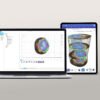
Monitoring a large tree population requires a correspondingly large number of devices. The IML GIS displays all devices associated with an account in a single map view and provides arborists and tree care professionals with the tools they need to make informed decisions and plan their workflows efficiently.
The IML GIS offers users the following features:
- Overview of the current status of all devices in an account in a single map view
- Visualization of measurement data over time
- Extensive filter functions (e.g., measurement filtering, battery status, location, etc.)
- Data export in various formats for external processing
- Custom APIs for direct database access are available upon request
- Optional automation of specific workflows
- Account management
In addition, the functions of the IML Cloud Devices App are also integrated into the IML GIS:
- Inspections and documentation of tree care work:
- Recording of watering events, including volume and date
- Documentation of tree condition, including vitality level, drought damage, changes to irrigation management, and additional comments
- Display of previous inspections
- Access to automatically generated watering recommendations, provided the current sensor configuration supports this functionality
As well as for the initial commissioning of devices:
- Location documentation
- Documentation of installation position and device-specific sensor configuration
- Documentation of Tree and surroundings:
- Tree species and size
- climate zone
- soil properties
- degree of soil sealing
- And much more.
- General comments
The IML GIS is a live service application and is continuously being developed and optimized. We plan to continuously expand the functionality of the IML GIS with new features and to add further device types.

